HTTP error pages
HTTP error pages explain why a request failed and guide users to a meaningful next step.
Usage
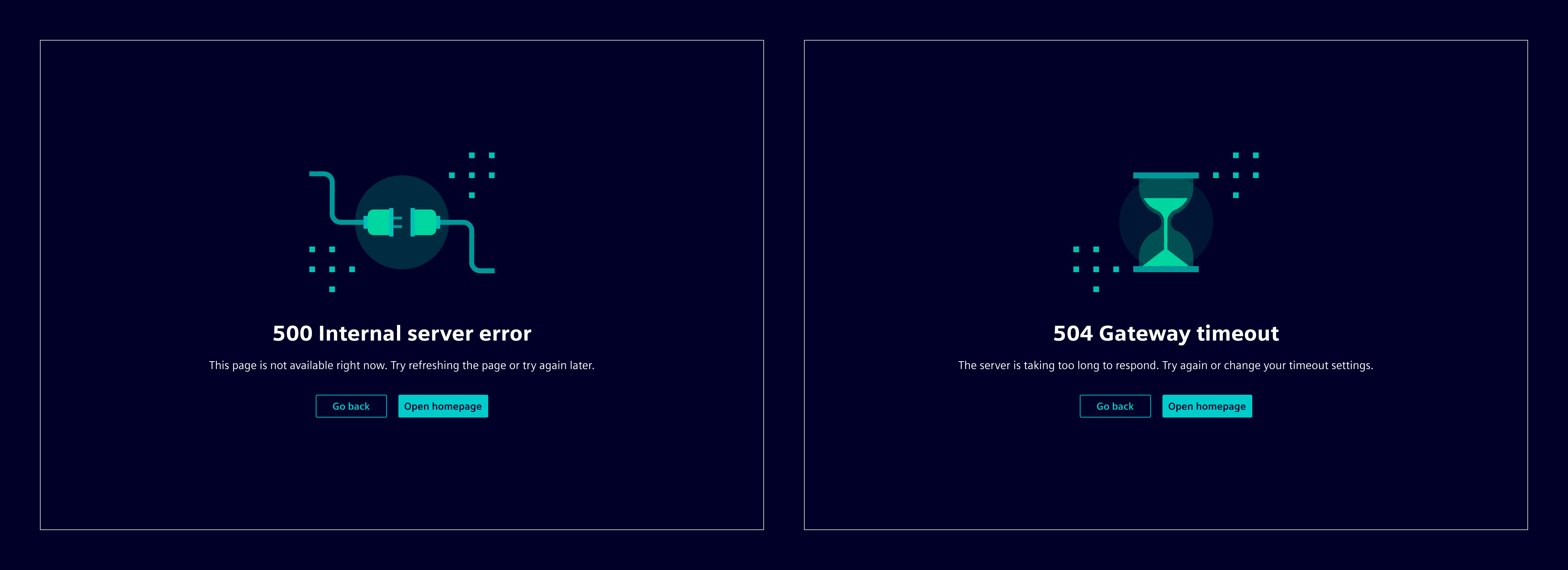
HTTP error pages are full-page messages for request failures such as missing pages, missing permissions, or server errors.
They are built with the info page component as the base layout.
When to use
- When navigation to a page fails because the requested resource is unavailable or blocked.
- When an application route represents a standalone error state, such as
401,403,404, or500.
Best practices
- Do not use them for transient background failures that can be communicated with inline notifications or toast notifications.
- Codes can be remapped deliberately (on server side) when necessary, for example showing a 404 page for a 403 error to avoid revealing that a restricted resource exists.
Design
Anatomy
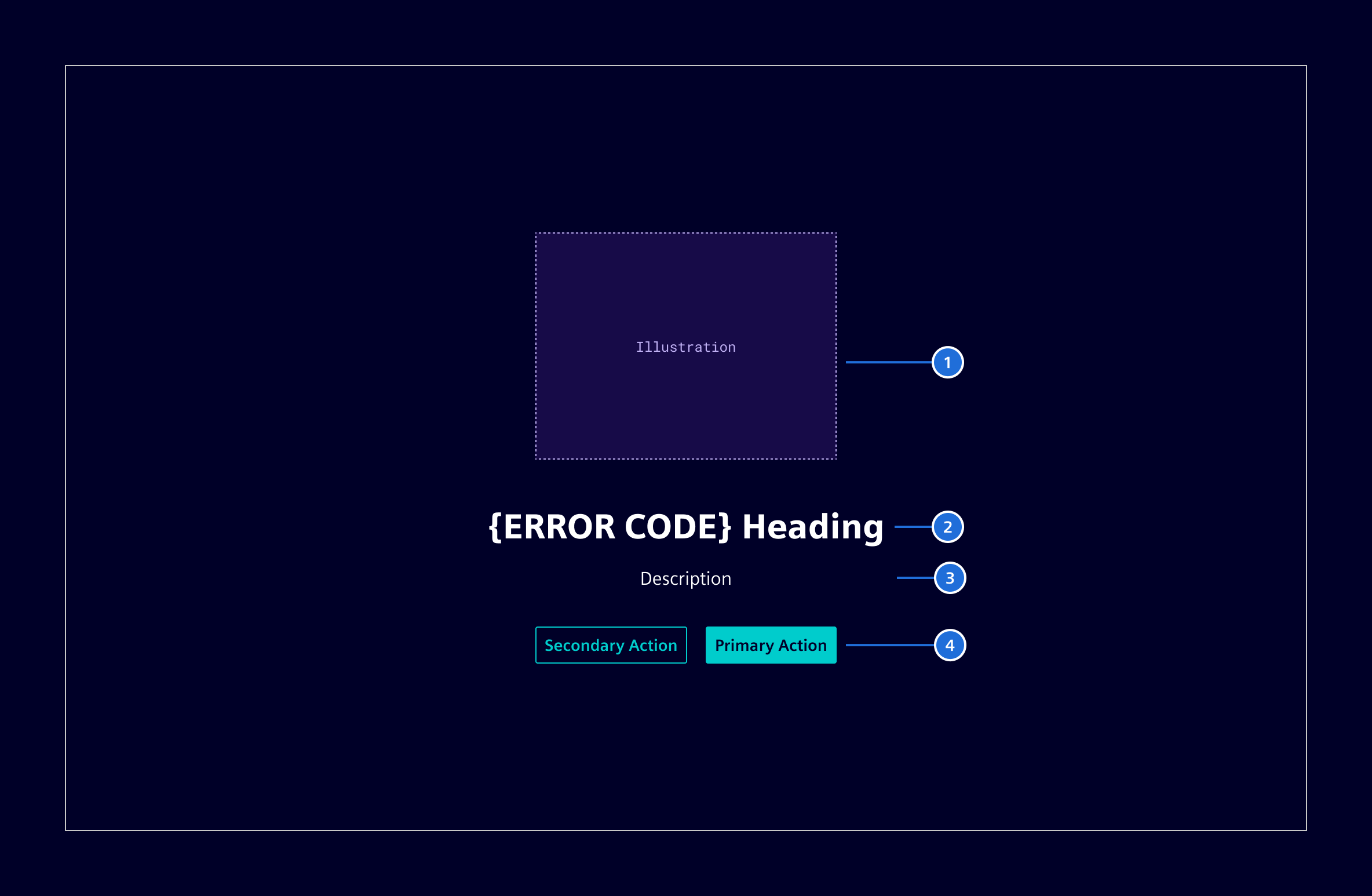
- Illustration
- Heading: State the problem in a short, human-readable way with the error code.
- Description (optional): Briefly explain what happened or what could have caused it.
- Actions (optional): Offer a relevant escape path or recovery action.
Visual guidance
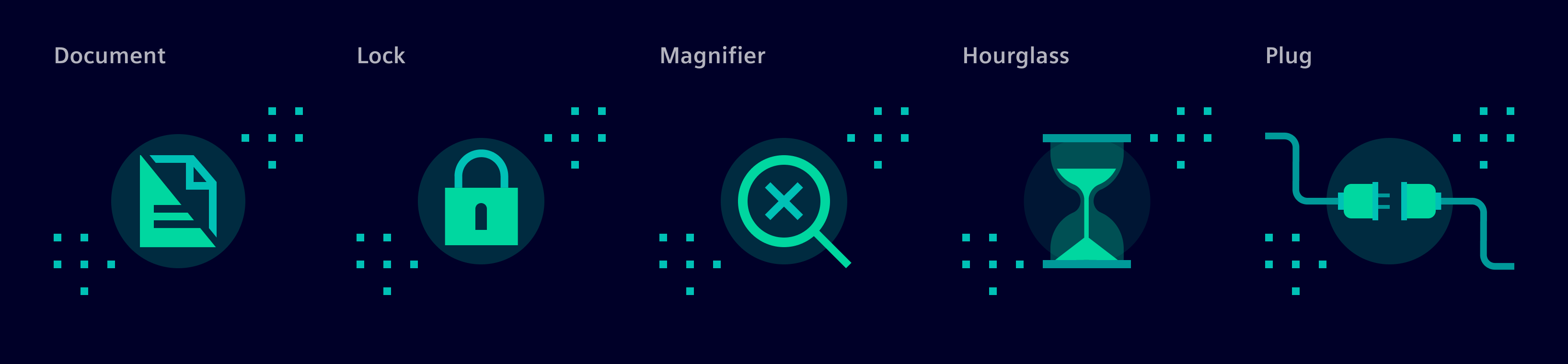
There are five predefined illustrations mapped to different error codes.
| Illustration | Use for | Meaning | Mapped codes |
|---|---|---|---|
| Document | Request errors and unsupported requests | The request cannot be processed in its current form. | 400, 405, 406, 409, 411412, 413, 414, 415, 417421, 422, 428, 431 |
| Lock | Authentication and access restrictions | The user must sign in, does not have access, or the resource is restricted. | 401, 403, 407423, 451, 511 |
| Magnifier | Missing resources | The page or resource cannot be found or is no longer available. | 404, 410 |
| Hourglass | Timeout and temporary availability issues | The service is busy, delayed, or temporarily unavailable. | 408, 425, 429, 504 |
| Plug | Server and backend failures | The application or an upstream service failed unexpectedly. | 500, 501, 502, 503505, 506, 507, 508, 510 |
- Dedicated UX writing copy already exists for common error types.
- For less common errors that do not have dedicated UX writing copy, use the error code together with the official HTTP status title from the IANA HTTP status code registry.
Code
The HTTP error page examples are making use of the info page component (si-info-page) as the base layout.
Import SiInfoPageComponent, NgOptimizedImage for the illustration, and SiTranslatePipe when its alternative text uses a translation key.
import { NgOptimizedImage } from '@angular/common';
import { SiInfoPageComponent } from '@siemens/element-ng/info-page';
import { SiTranslatePipe } from '@siemens/element-translate-ng/translate';

@Component({
  imports: [NgOptimizedImage, SiInfoPageComponent, SiTranslatePipe],
  ...
})
Set the heading, description, and alternative text using the keys for the relevant HTTP error. Project the mapped illustration and suitable recovery actions into the info page.
<si-info-page
  titleText="SI_HTTP_ERRORS.NOT_FOUND.HEADING"
  instructions="SI_HTTP_ERRORS.NOT_FOUND.DESCRIPTION"
>
  <img
    class="si-info-image"
    [alt]="'SI_HTTP_ERRORS.NOT_FOUND.ALT' | translate"
    ngSrc="./assets/images/magnifier.svg"
    width="260"
    height="190"
  />
  <div class="si-info-actions">
    <button type="button" class="btn btn-secondary">Go back</button>
    <button type="button" class="btn btn-secondary">Search app</button>
  </div>
</si-info-page>
For Siemens-internal applications, localized headings, descriptions, and alternative texts are available through the Siemens-internal language packs. Append .HEADING, .DESCRIPTION, or .ALT to one of these key prefixes:
| HTTP code | Translation key prefix | Illustration |
|---|---|---|
400 | SI_HTTP_ERRORS.BAD_REQUEST | document.svg |
401 | SI_HTTP_ERRORS.UNAUTHORIZED | lock.svg |
404 | SI_HTTP_ERRORS.NOT_FOUND | magnifier.svg |
418 | SI_HTTP_ERRORS.TEAPOT | teapot.svg |
500 | SI_HTTP_ERRORS.INTERNAL_SERVER_ERROR | plug.svg |
504 | SI_HTTP_ERRORS.GATEWAY_TIMEOUT | hourglass.svg |






Example
Select an HTTP status code to preview the corresponding error page and illustration.
Except where otherwise noted, content on this site is licensed under MIT License.