AI chat history
The chat history displays previous conversations between the user and the AI.
Usage
Chat history helps users maintain context, revisit previous interactions, and continue conversations across longer tasks.
This pattern is a combination of a list and the side panel.
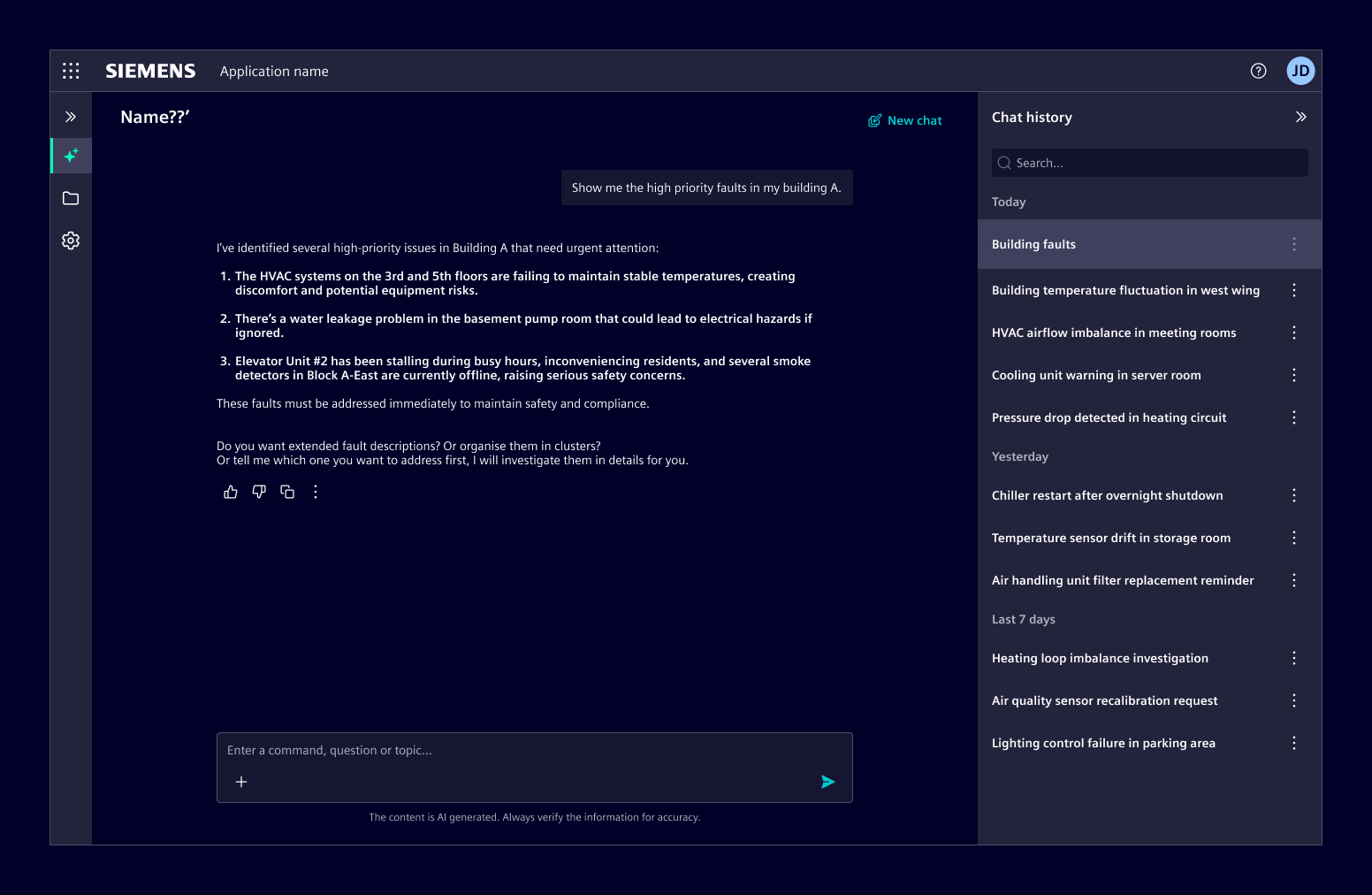
Best practices
- Use auto-generated or user-defined titles for chat conversations, as they provide a stable reference for each conversation.
- A preview may replace the title when conversations are short-lived or primarily accessed in recent context.
Design
Anatomy
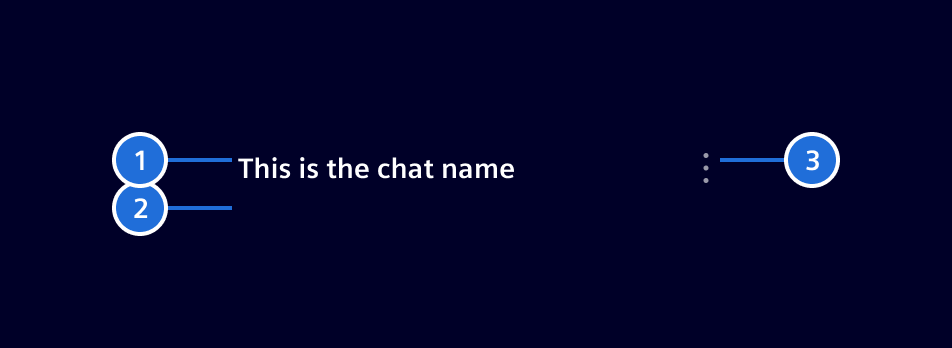
1. Title, 2. Metadata (optional), 3. Actions (optional)
Actions
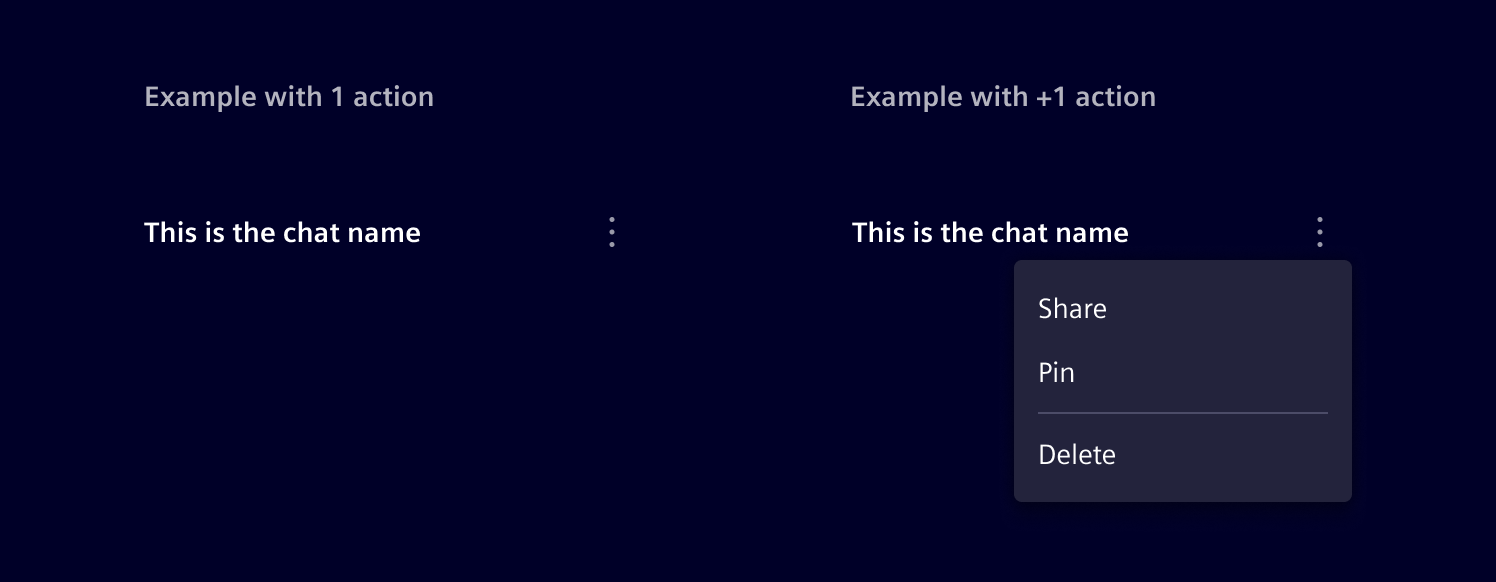
Actions allow users to manage chat conversations (for example rename, move, archive, delete, or export).
- If a chat history item has only one action, display it directly and associate it clearly with the item.
- If there are multiple actions, group them in an overflow menu.
Metadata
It is typically displayed as text-based informational attributes. Icons may be added when they improve recognition. Badges can be used for explicit states or applied labels that should stand out visually.
Each metadata element can be replaced by a link, styled with text-secondary.
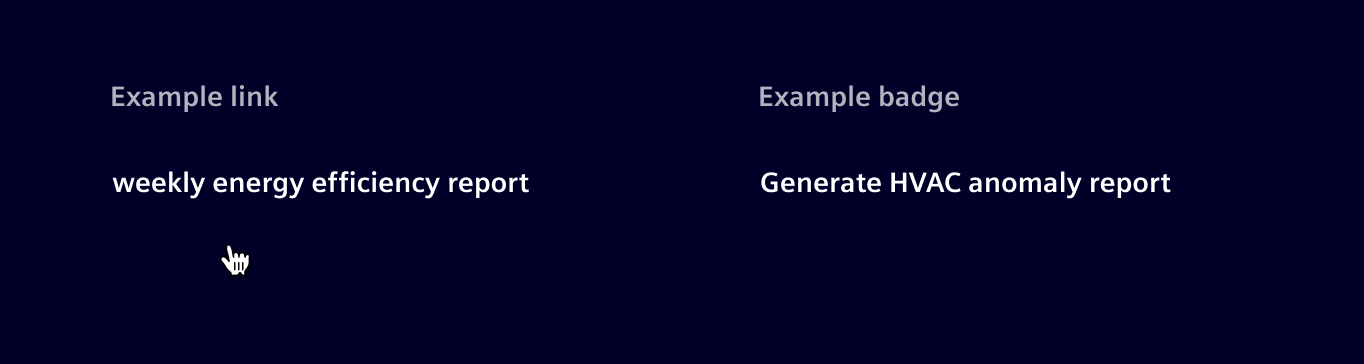
If space remains insufficient due to a high number of metadata elements, consider prioritizing the most relevant attributes and progressively removing secondary ones to preserve clarity.

Layouts
Full page layout
When the AI chat is integrated as a full page layout, the chat history is displayed in a collapsible side panel.
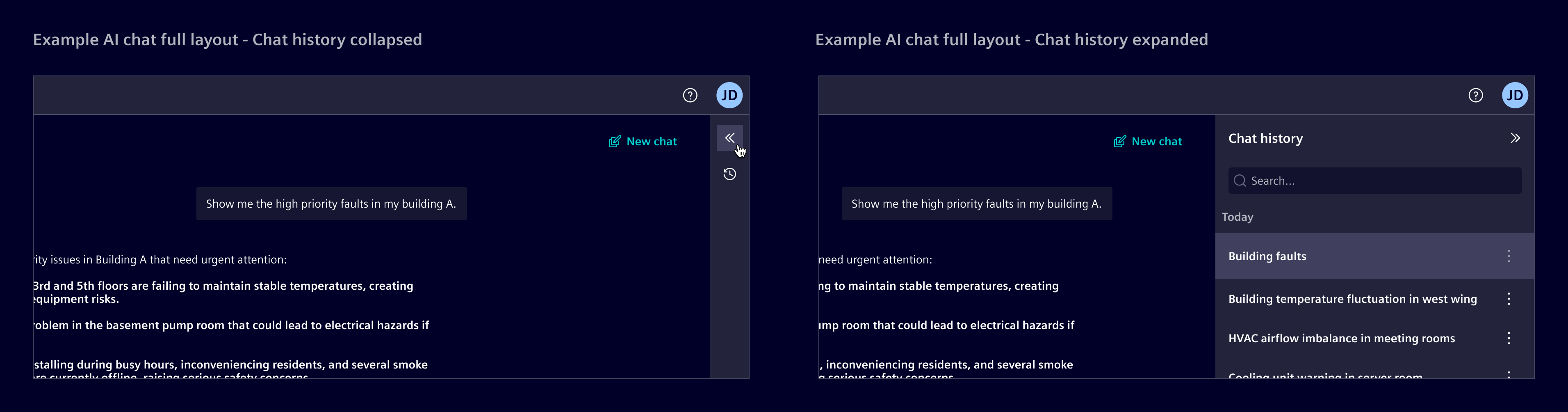
Side panel layout
If AI chat is already handled in a side panel, chat history is accessed within the same panel. Selecting a conversation replaces the current chat content inside that panel.
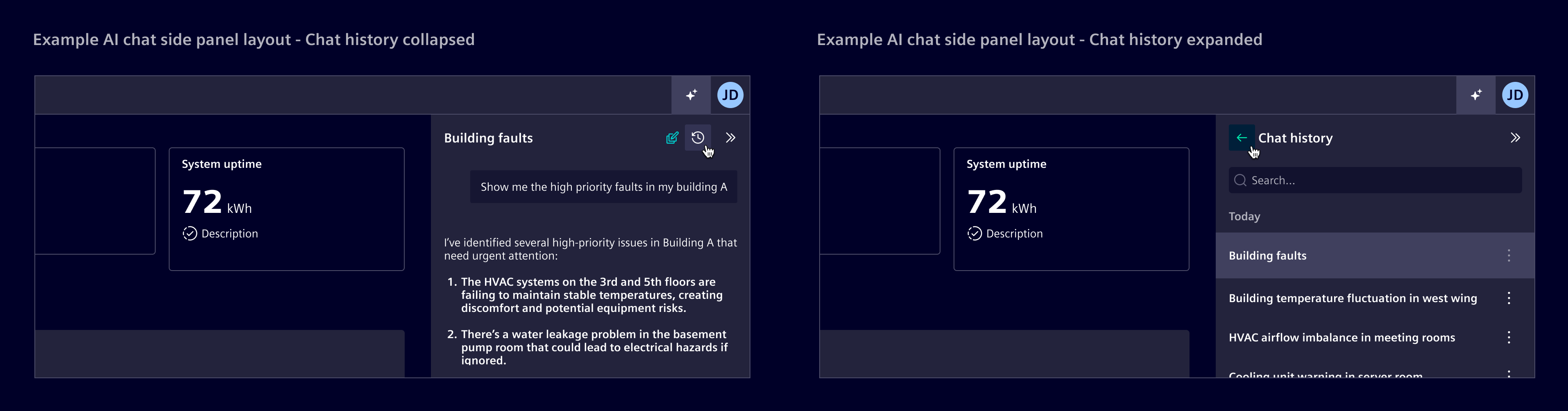
Chat organization
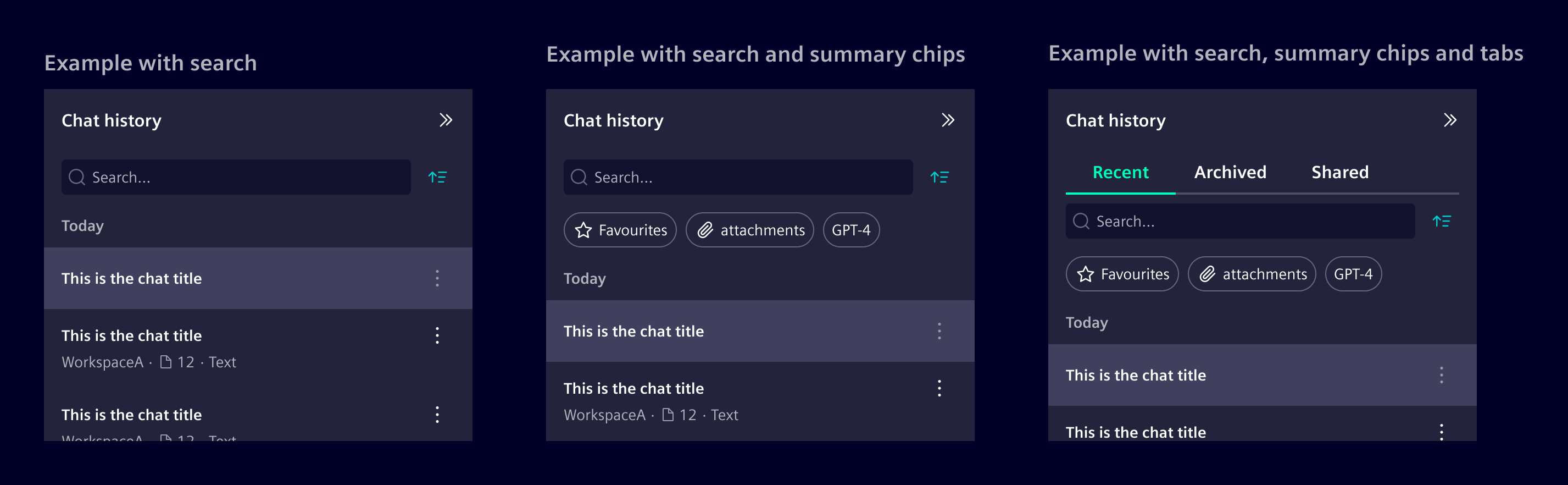
Conversations may be organized into temporal sections (e.g., Today, Yesterday, Last 7 days, Last 30 days, Older).
Additional grouping methods or filters can be used when further organization is needed.
- Use tabs for broad, mutually exclusive categories to help users focus on one category at a time.
- Use summary chips to provide a quick overview of grouped conversations
Code
Use the side panel inner navigation pattern to switch between the chat history and a selected conversation while keeping both views in the same panel.
Except where otherwise noted, content on this site is licensed under MIT License.