Pagination
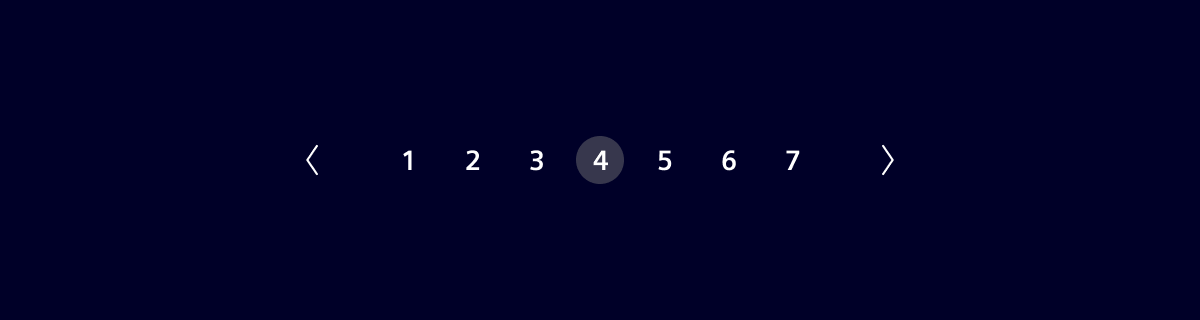
Pagination is used for splitting up content or data into several pages, with a control for navigating to the next or previous page.
Usage
When to use
- When there are more than 25 items displayed in one view. Pagination should not be shown if only one page is available.
Alternative
Consider using a “Load more” pattern as an alternative to classical pagination. This approach offers users more control by allowing them to load additional results only when they choose to. Instead of navigating between pages, users click a “Load more” button at the end of the current list.
Design
Elements
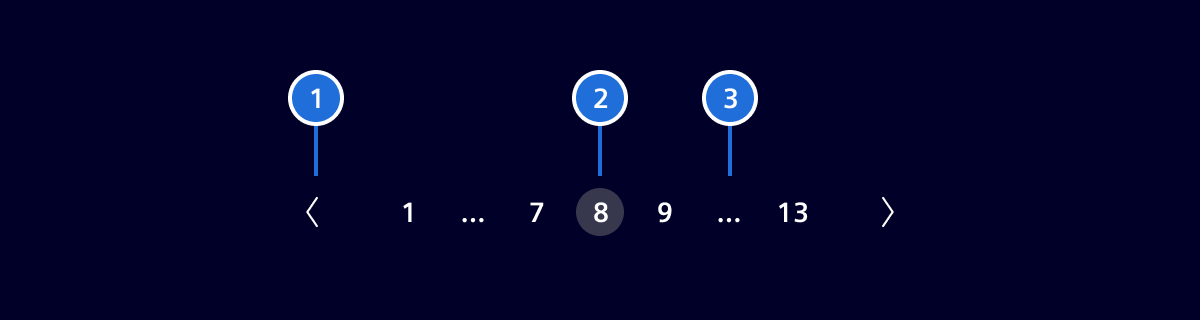
- Navigation arrows, 2. Current page, 3. "More" indicator
Number of pages
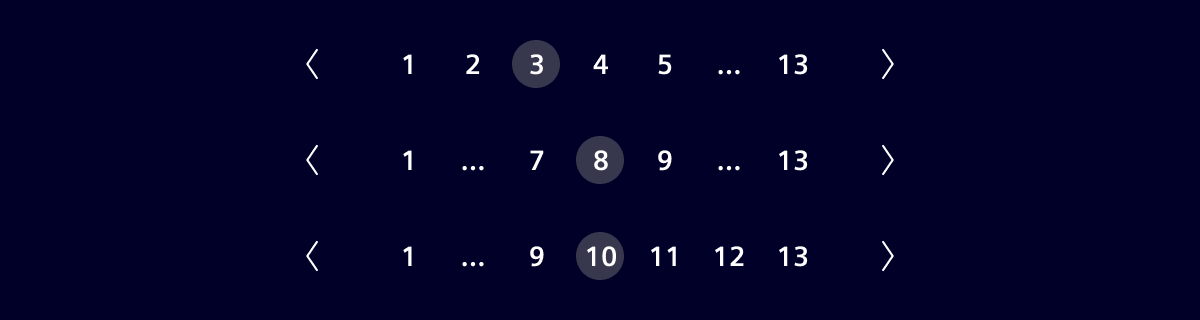
A maximum of 7 pages or items can be displayed.

When the total number of pages exceeds 7, then the remaining pages will be truncated. The navigation arrows should always be displayed.
Placement of pagination component
Pagination should be placed at the bottom right of the table. 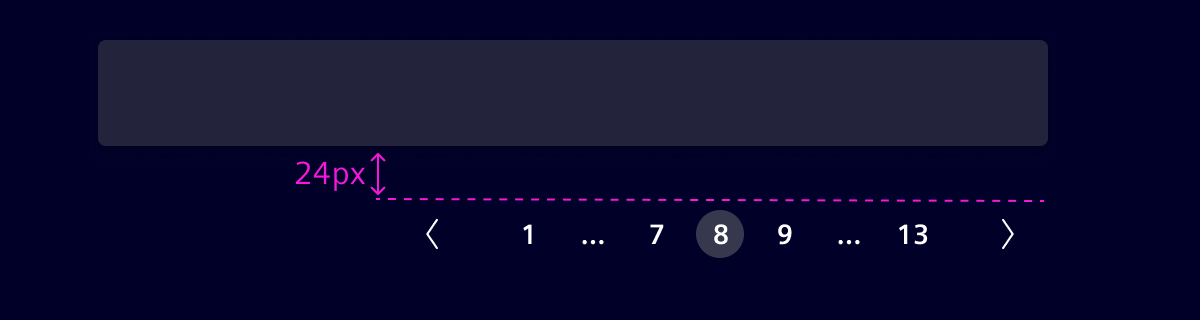
Code
Pagination - provide pagination links for your site or app with the multi-page pagination component, or the simpler pager alternative.
Usage
import { SiPaginationComponent } from '@siemens/element-ng/pagination';

@Component({
  imports: [SiPaginationComponent, ...]
})
SiPaginationComponent API Documentation
si-pagination Input Properties
| Name | Type | Default | Description |
|---|---|---|---|
| backButtonText ¶ | TranslatableString | $localize`:@@SI_PAGINATION.BACK:Back` | The text of the back button for pagination. Required for a11y. |
| currentPage ¶ | number | 1 | The current active page, counting starts from 1 |
| forwardButtonText ¶ | TranslatableString | $localize`:@@SI_PAGINATION.FORWARD:Forward` | The text of the forward button for pagination. Required for a11y. |
| navAriaLabel ¶ | TranslatableString | $localize`:@@SI_PAGINATION.NAV_LABEL:Pagination` | When multiple paginations are used on the same page each pagination needs a distinct aria label. Required for a11y. |
| pageSize ¶ | number | The number of items per page. Used to calculate the total number of page if totalPages is not available | |
| totalPages ¶ | number | The total number of pages. Alternatively use itemsPerPage and totalItems | |
| totalRowCount ¶ | number | The total number of items. Used to calculate the total number of page if totalPages is not available |
Output Properties
| Name | Type | Description |
|---|---|---|
| currentPageChange ¶ | number | The current active page, counting starts from 1 |
Types Documentation
| Represents a translatable string. This can either be a translation key, e.g. ACTIONS.EDIT that will be automatically translated when displayed on the UI or a pre-translated string, e.g. Edit . Equivalent to a normal string in usage and functionality. |
|---|
Except where otherwise noted, content on this site is licensed under MIT License.